How Can We Help?
User Management
How can I manage my users?
You can invite collaborators to your account and projects. Get help from your team or invite a client to check out their stats.
How can I add users to my account?
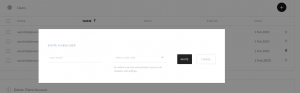
To add a new user to your account go to Account Settings and scroll down to the user management table. On the top right of the table, there is a + button. Introduce the users’ email address and select the role you want this user to have.
- Admin: Unrestricted access to all projects within this account.
- can add/edit/delete projects
- can invite/edit/delete users
- Reporter: Can only see the project he or she is assigned to.
- Content Editor: Can only see the Chat history report page.
Can I remove access to a user?
No longer working together? No problem.
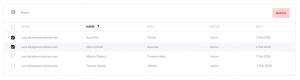
Open your Account settings page and scroll down to the Users table. Select the user/s you want to remove from your account and hit Remove.
User overview
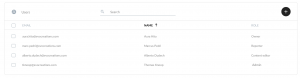
Keep track of all your collaborators.
Go to Account settings > User management to see a list of all your users.
Don’t forget to hit the SAVE button on the top right corner before you exit the settings page.
If you have any trouble please contact us at support@evodynamics.io
Happy analyzing!